|
Project 47a: |
|
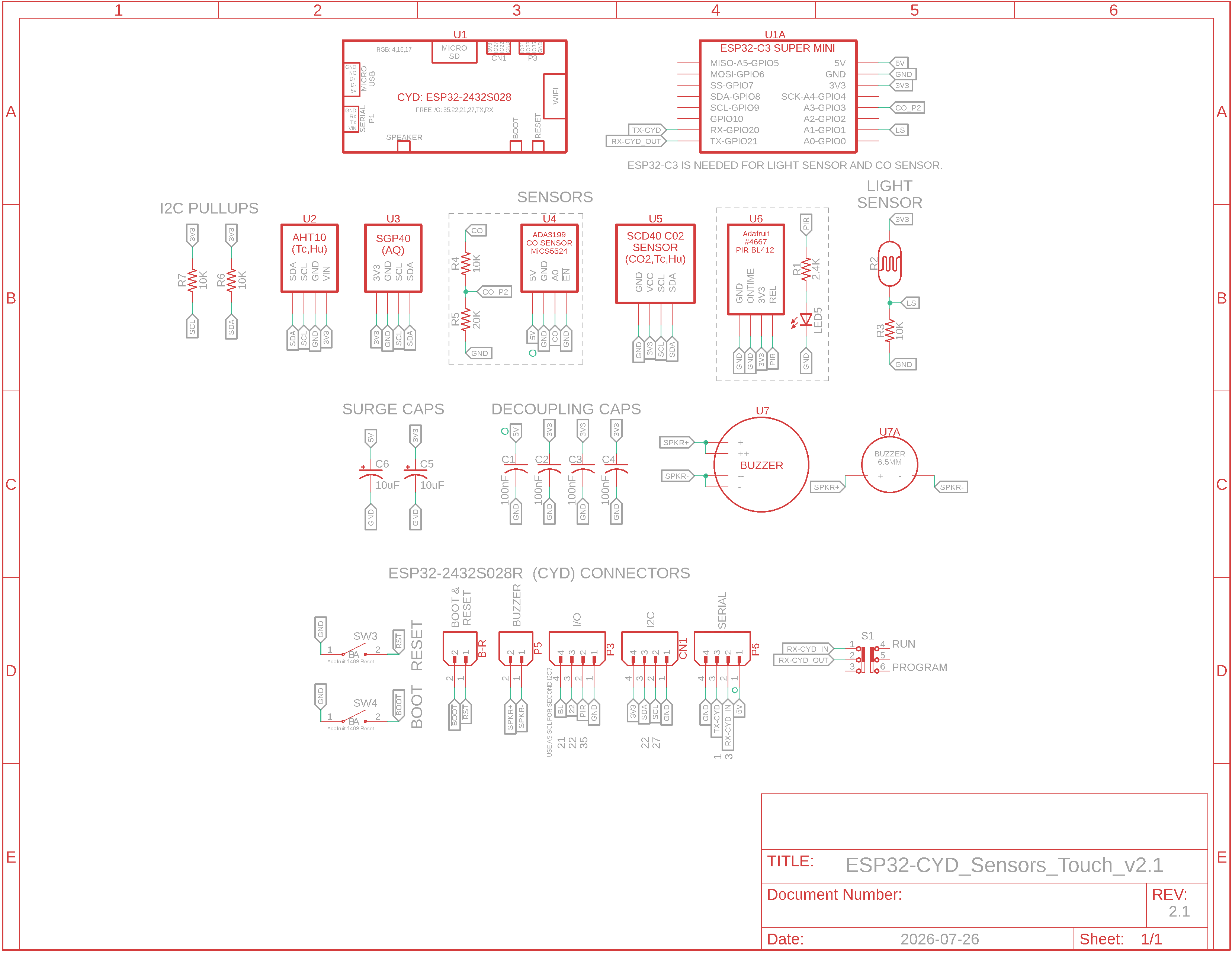
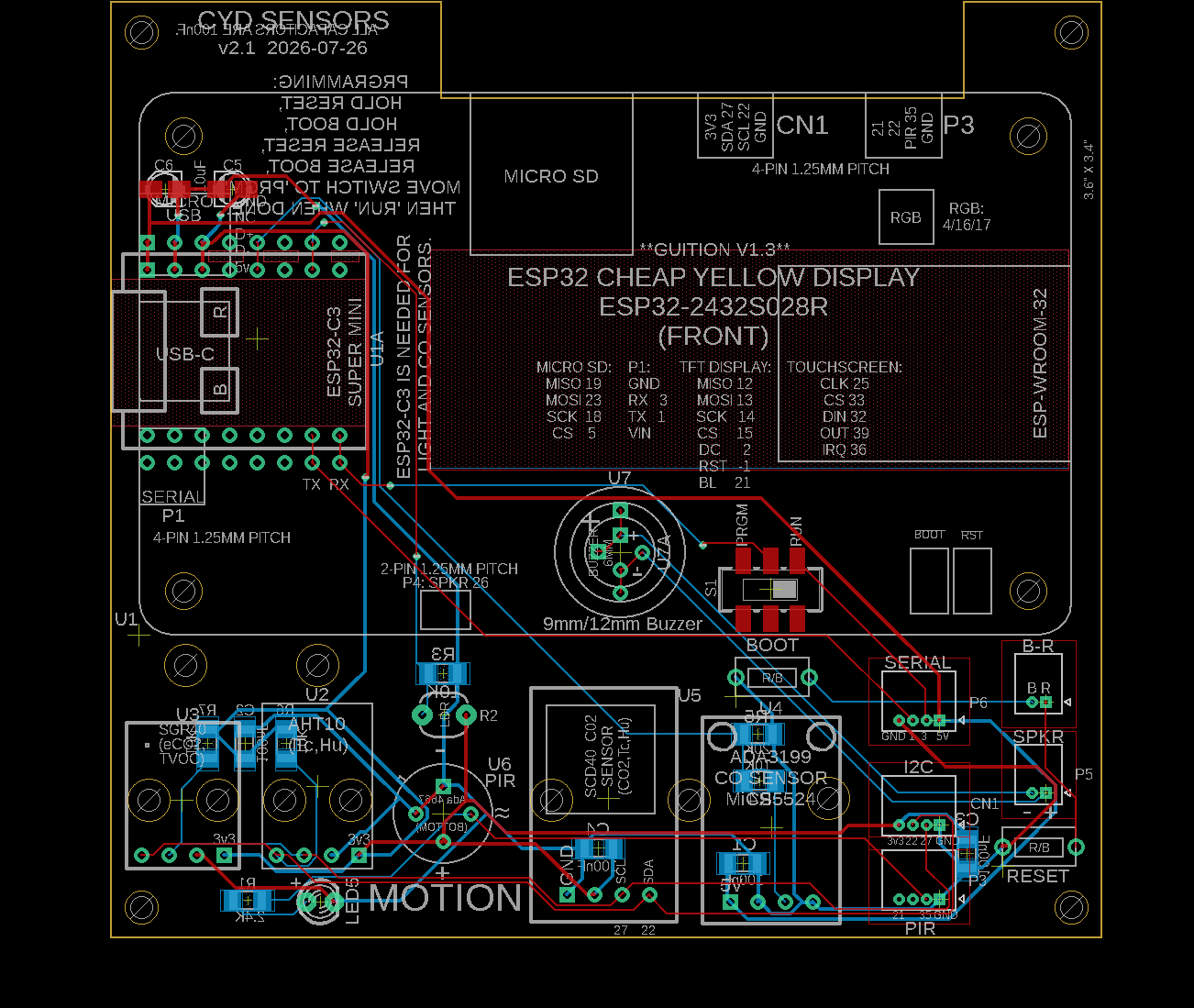
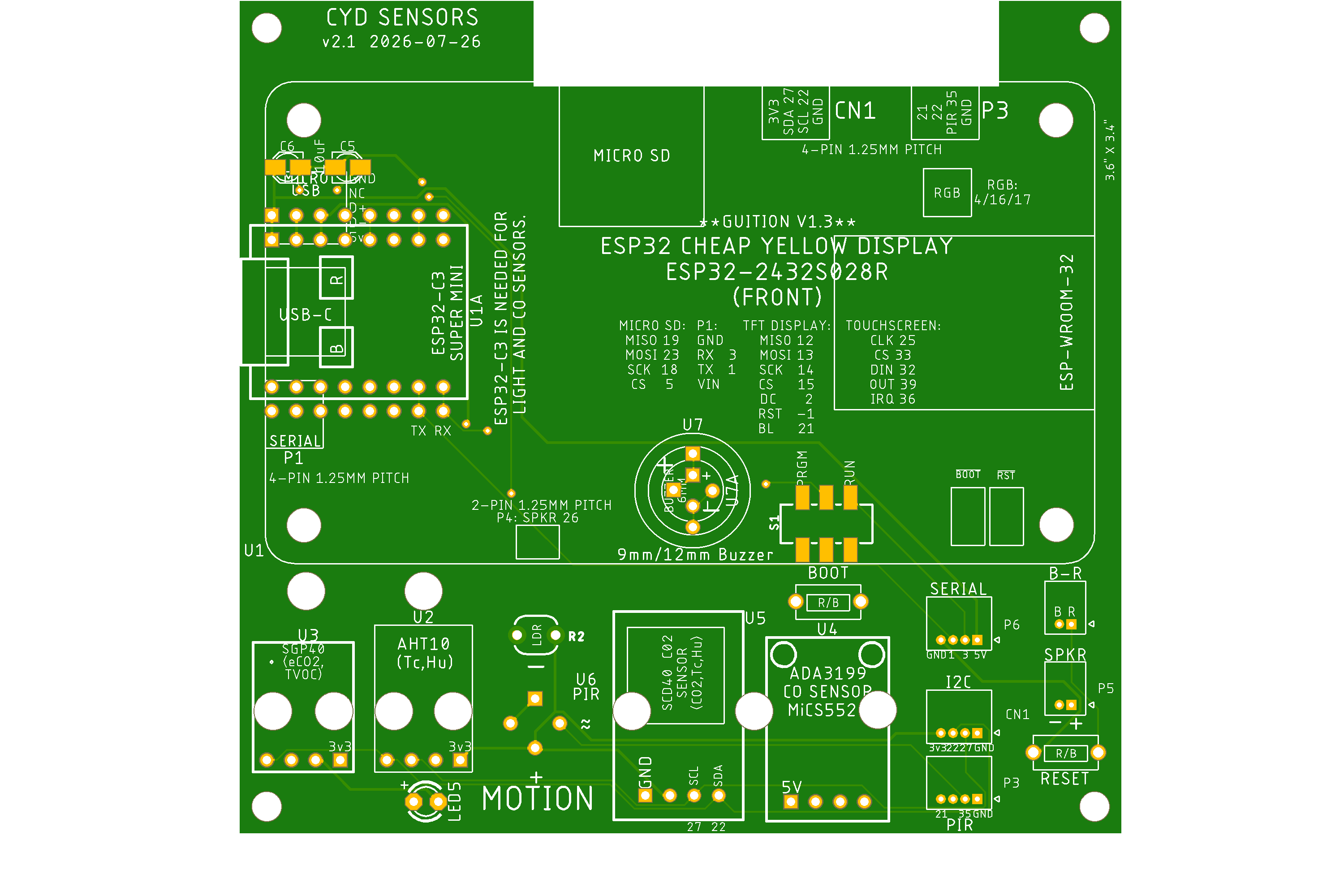
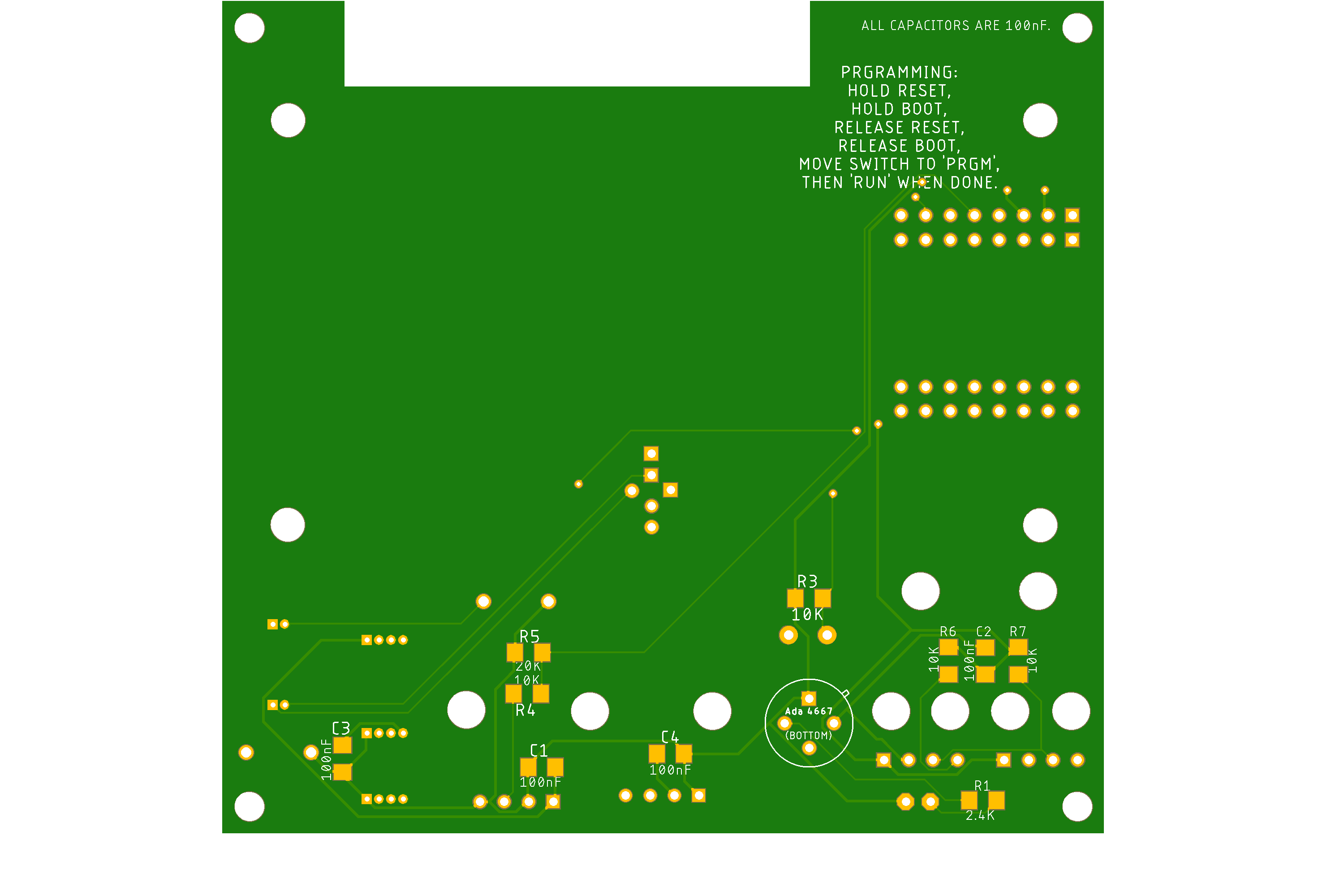
v2.1 Schematic, Board Layout, PCB Top & Bottom
v2.1 BOM
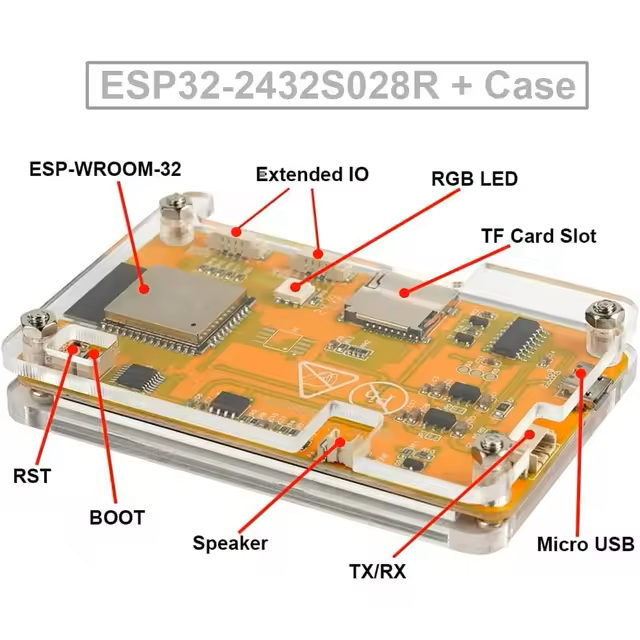
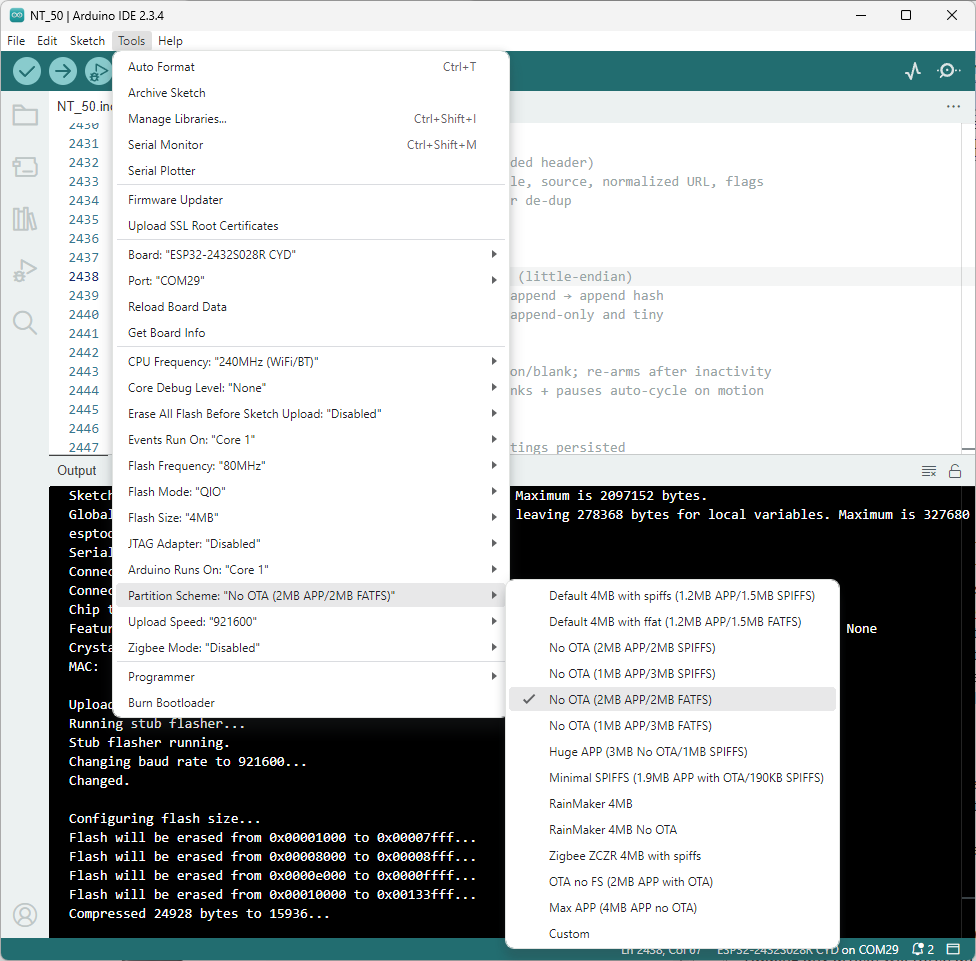
Layout of ESP32 CYD, Memory Configuration
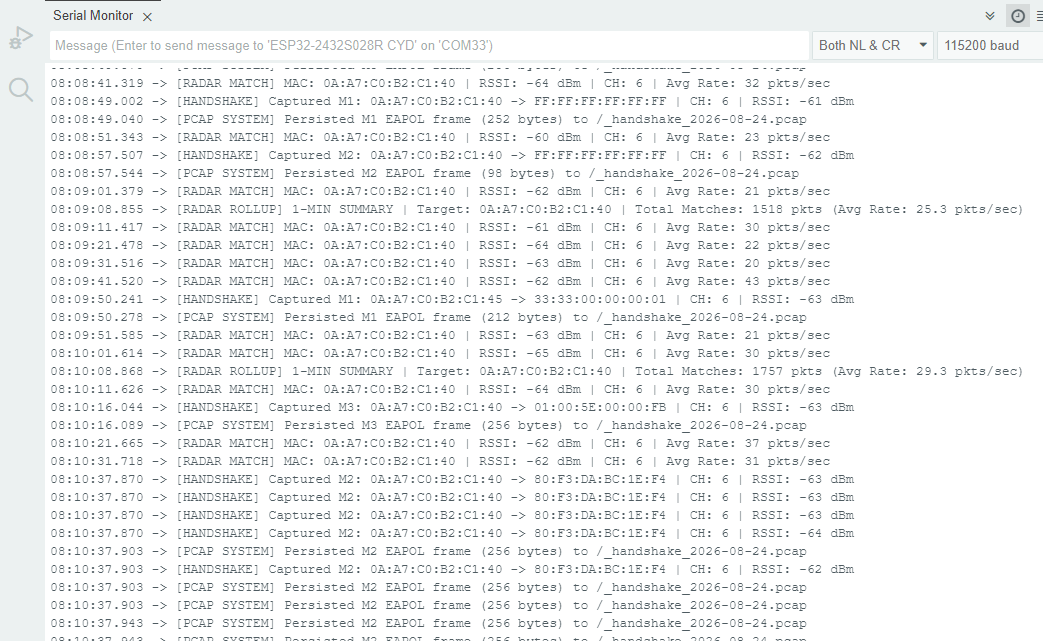
Sentinel Operations Pix and WireShark Pix
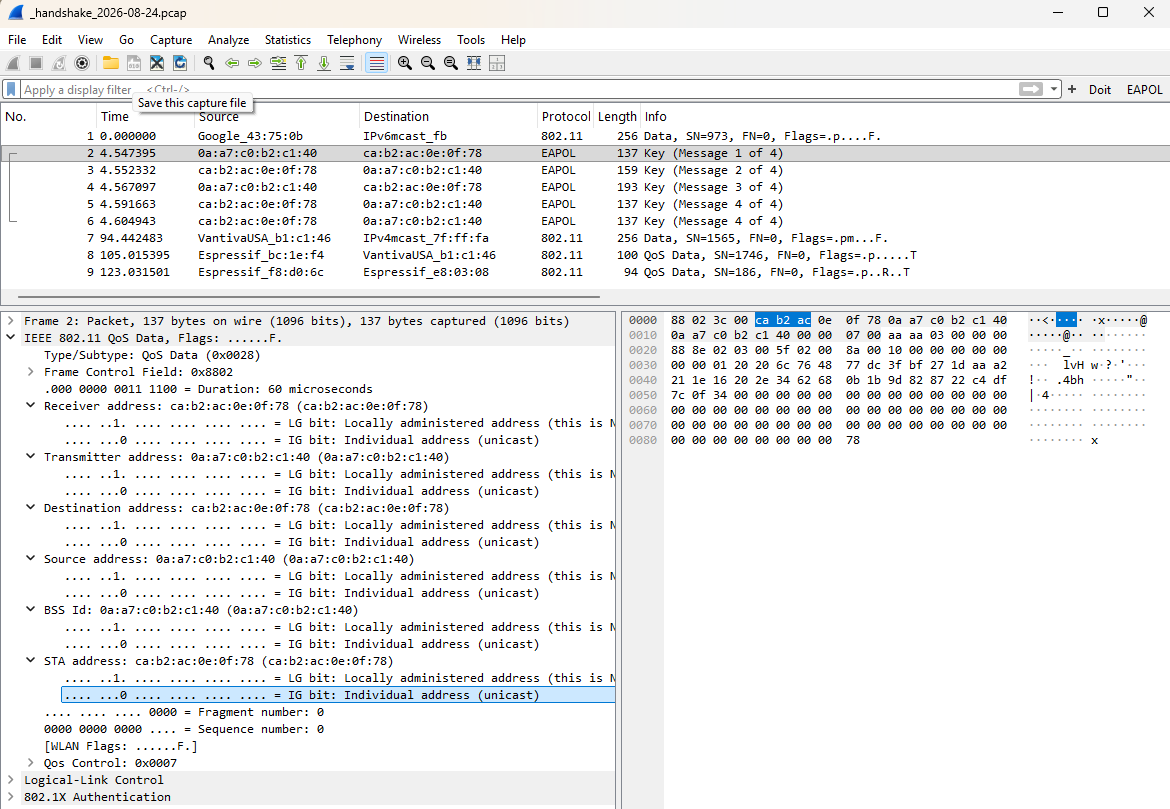
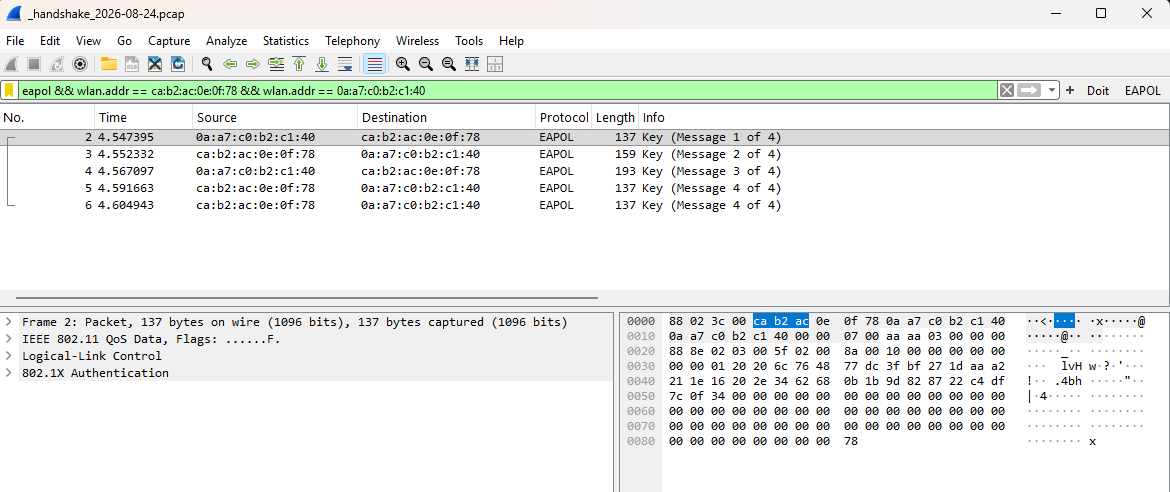
Sentinel WireShark Pix
Wireshark WiFi Trace: _handshake_2026-08-24.pcap
Sentinel Documentation: CYD Sentinel.txt
Overview: The ESP32 CYD WiFi Network Sentinel monitors all channels of your 2.4GHz WiFi network. You are able to log WiFi management Disassociations and Deauthorizations including perpetrator and target. In addition to being a WiFi monitor, it also saves WiFi handshakes to a dated .pcap file for later viewing with WireShark or Sniffer/InfiniStream network analyzer. The PCB that supports the ESP32 CYD (ESP32-2432S028R) also contains weather and motion sensors.
Code: WFS_351_XXX.ino and several support files that should be kept in the same folder/directory as your code.
Support File Details: - CYD WIFI NETWORKS SENTINEL.txt documents the device - 3 new files are generated daily named _attack_YYYY-MM-DD.txt, _probe_YYYY-MM-DD.txt, and _sentry_YYYY-MM-DD.txt - a _handshake_YYYY-MM-DD.pcap file of WiFi handshakes is continually added to daily - a file, oui.txt, containing organization unit identifiers (OUIs: MAC addresses) has been updated for nodes found on your network. By default the program is always looking for MACs that are not in your oui.txt file and it puts them in the unknown_ouis.txt file. Run the python program unknown_ouis_resolve.py which will put them into your oui.txt file. When you examine the oui.txt file it may appear to be random. Run the python program dedupe_MAC.py which will sort them based on their MAC or run dedupe_Vendor.py which will sort them by vendor name. Both programs remove duplicates if they exist. - while booting, in the event we cannot find a time server the program will use time.txt that was created the last time the program was booted. The current millis() value will be added to the recorded time in time.txt to give you an approximate current time until the SNTP server responds. Alternatively you could just hit the RESET button and it will try again by contacting 3 common time servers - so that your WiFi credentials are not inadvertently exposed if you share the program, the sketch will override the empty default and use the ones you provide in config.txt. (Currently they are x'd out.) It also contains a preferred monitor channel (usually channel 6) and the default Target_MAC you would like to monitor, maybe your Rogers or Shaw AP - if your trying to generate some traffic, try the configurable PingAllPorts.py program. You can easily see which nodes are alive, their machine name if available, and the ports they may have open - there are 9 display Pages in the app (Page 9 is for System Telemetry and is available by tapping the filename on the Sentinel Command Hub page) - Page 2 is Scoreboard which shows Traffic and Ambient Vendors. The nodes listed in the file vendors.txt are used to populate it - file whitelist.txt contains the MAC addresses of known access points (APs) like your Rogers or Shaw router. In the event someone clones your AP's name, it will show up in Page 1 (Sentry Matrix) along with the encryption method. If you don't see a white label for WPA2, etc., but it is instead in red text, that is the false network some is trying to get you to connect to - you cannot see your Sentinel node sending data because it is in capture-only promiscuous mode. The workaround is to use RunSimulator.bat on your PC. It is found in the Test_Tools folder
Suggestions: - Download and review the updated user manual, CYD Sentinel.txt - Move your _xxxxx_YYYY-MM-DD.txt files into the Probes&Sentrys folder from time to time to stop the main folder from becoming cluttered - Download and install Python from https://www.python.org/downloads/. I am running v3.14.3; installation is very easy. - Check Arduino's Serial Monitor as it does a fair amount of reporting for the Sentinel
NOTE: Google Gemini helped write the code. As such the code module is larger than the default 1MB limit for the ESP32 so you MUST change the CYD flash config to bring it up to 2MB from 1MB. Partition Scheme: No OTA (2MB APP / 2MB FATFS). See the Memory Configuration screenshot above right. |
.JPG)
.JPG)
.JPG)
.JPG)
.JPG)
.JPG)
.JPG)
.JPG)
.JPG)
.JPG)
.JPG)
.JPG)
.JPG)
.JPG)
.JPG)
.JPG)

Updated 2026-09-05